projects / porting halo armor
Porting Halo armor into Zero Company
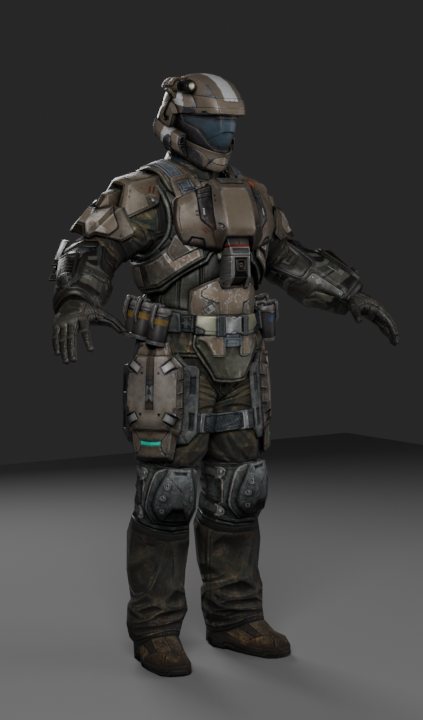
This is a how-it's-done write-up, not a portfolio. The goal of the project is a direct port of the original assets, or a kitbash of them where a new piece is needed. None of the base art is mine.
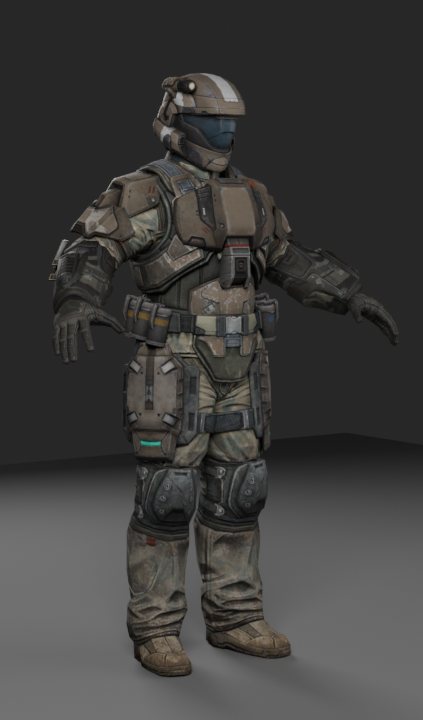
The armor is the ODST set from Halo: Reach by Bungie. The fine surface detail comes from Halo: Campaign Evolved by Halo Studios. The game it goes into is Star Wars Zero Company by Bit Reactor, with Respawn Entertainment and Lucasfilm Games, published by Electronic Arts. Those studios made the art. Scripts here convert it and rebuild its texture maps; they don't replace it.
What's mine is the method and the design decisions: what to keep, what to rebuild, how wear should behave, and when a result is good enough.
Where it stands: work in progress, with one set so far. The rigged torso draws in the game on the game's own material. The rebuilt textures have only been seen in offline renders, because my armor material still crashes the game. That's covered below.
The weapons get the same treatment in Porting and kitbashing Halo weapons.
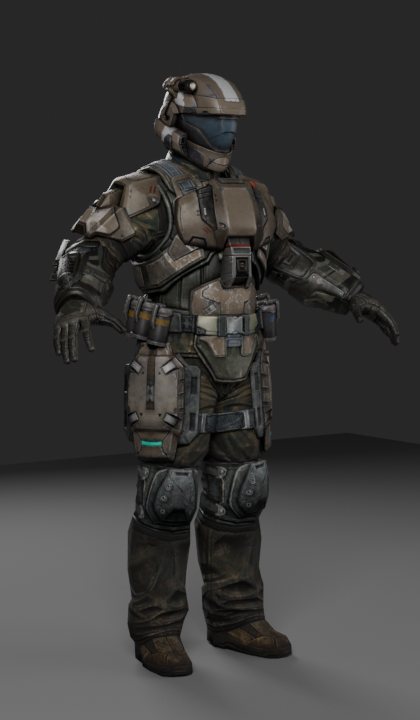
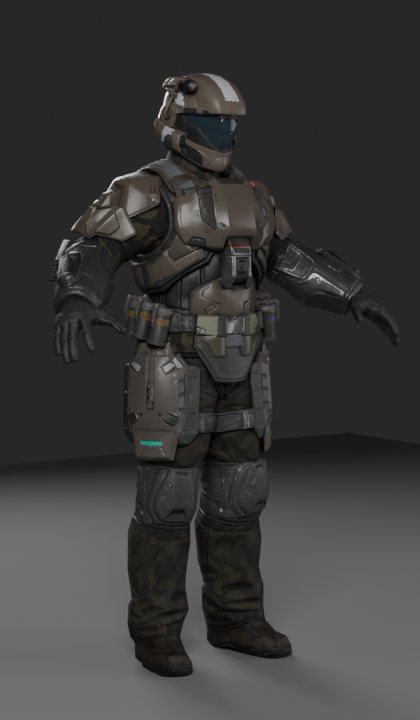
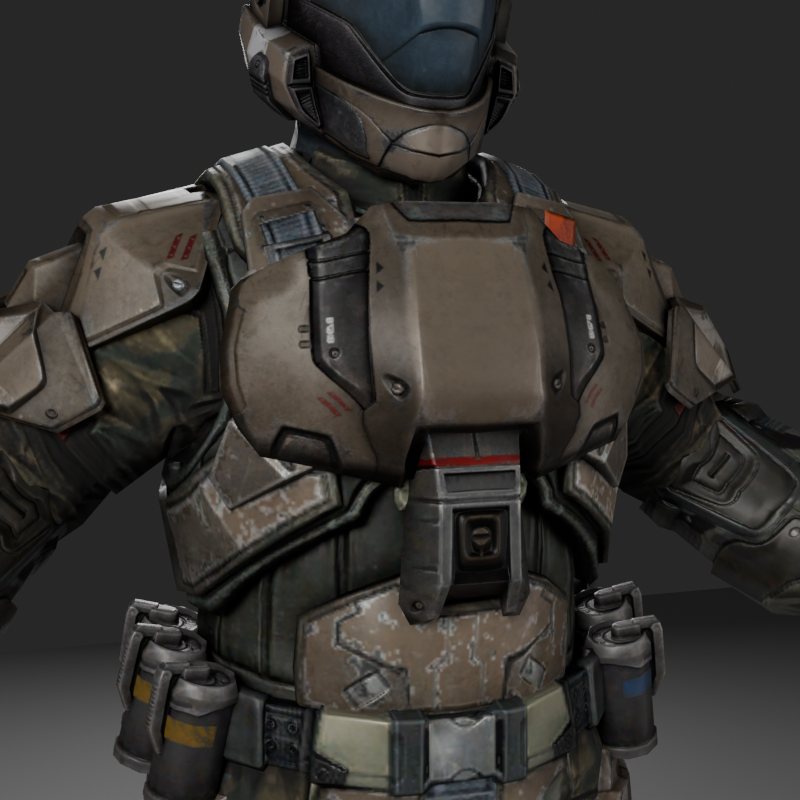
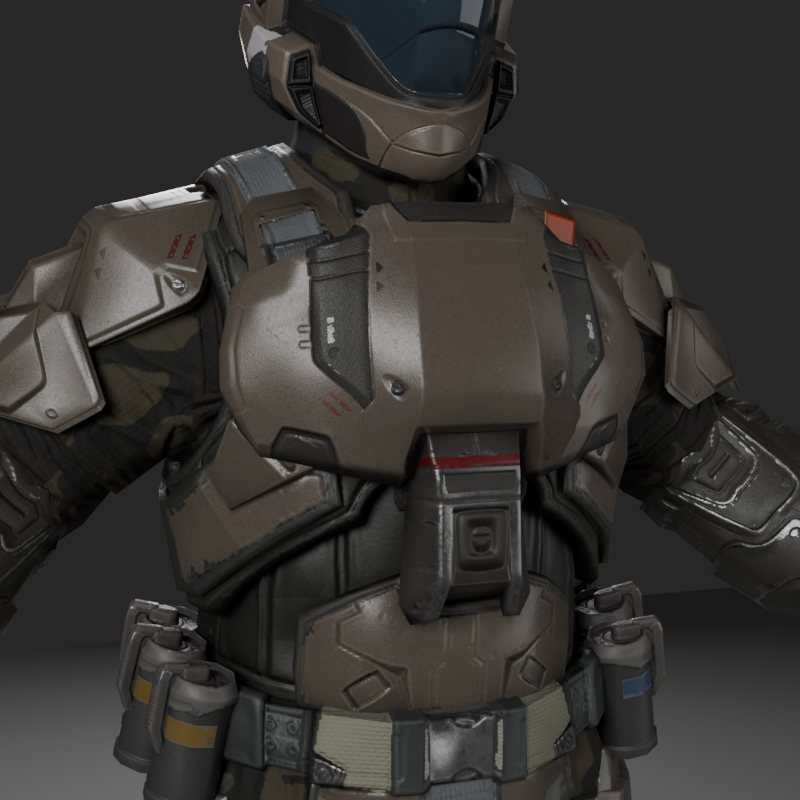
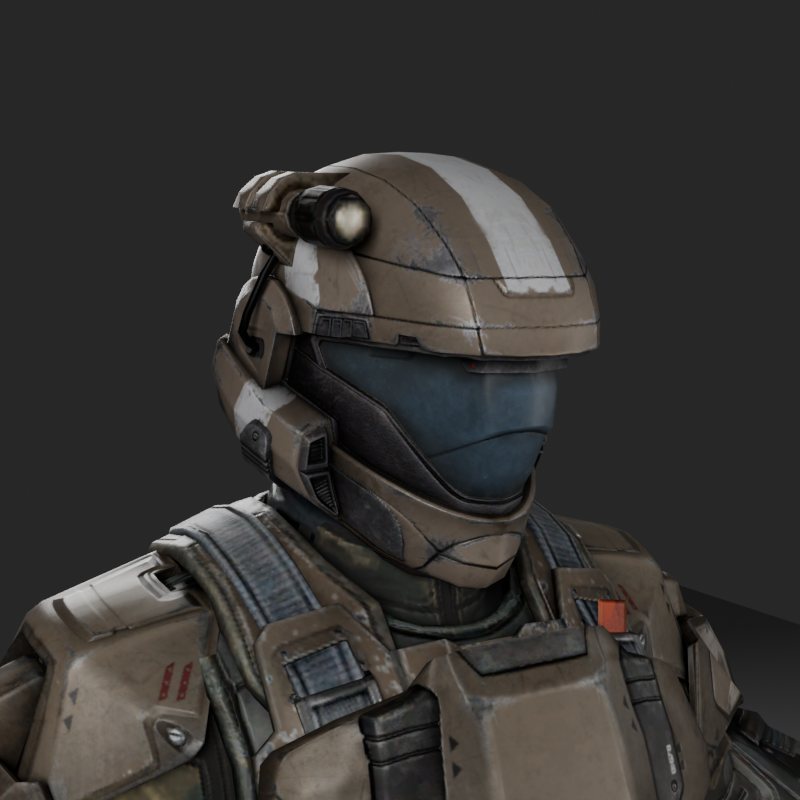
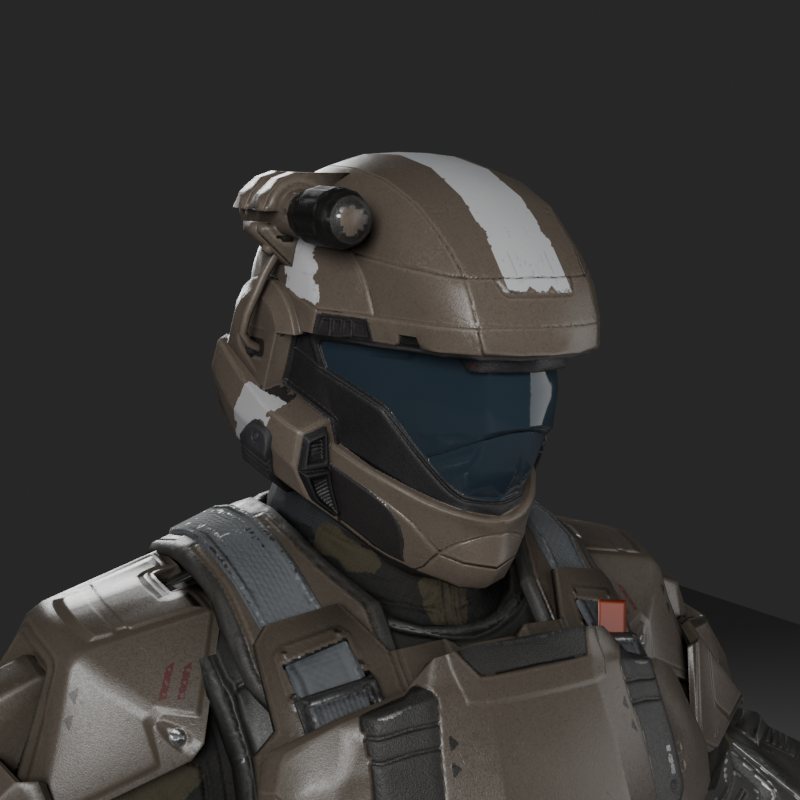
Before and after
All offline renders with the same lights and cameras, on an approximation of the game's shader. "Before" is the Reach textures with the colour fixes applied. "After" is the same mesh with the rebuilt maps.
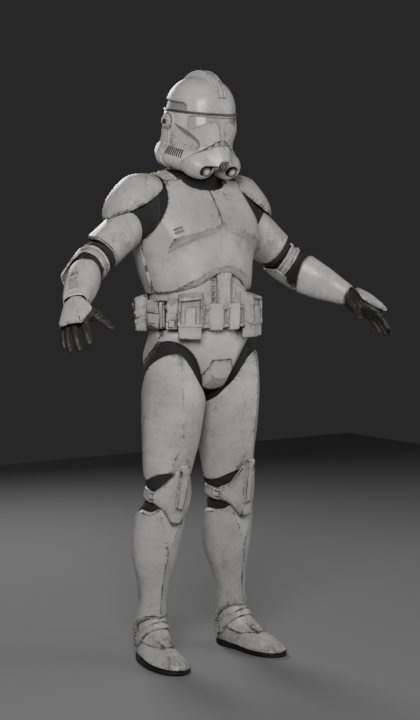
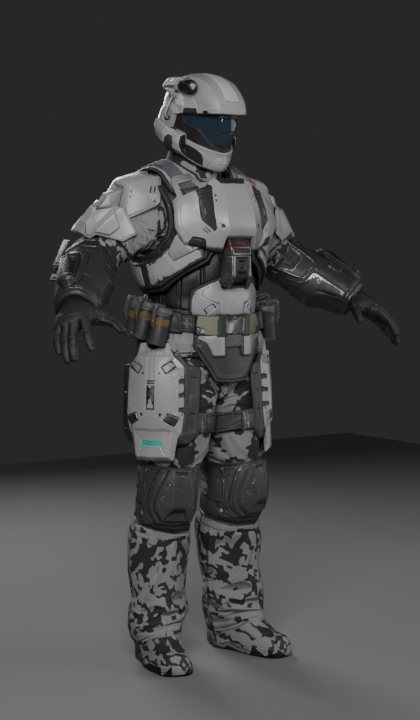
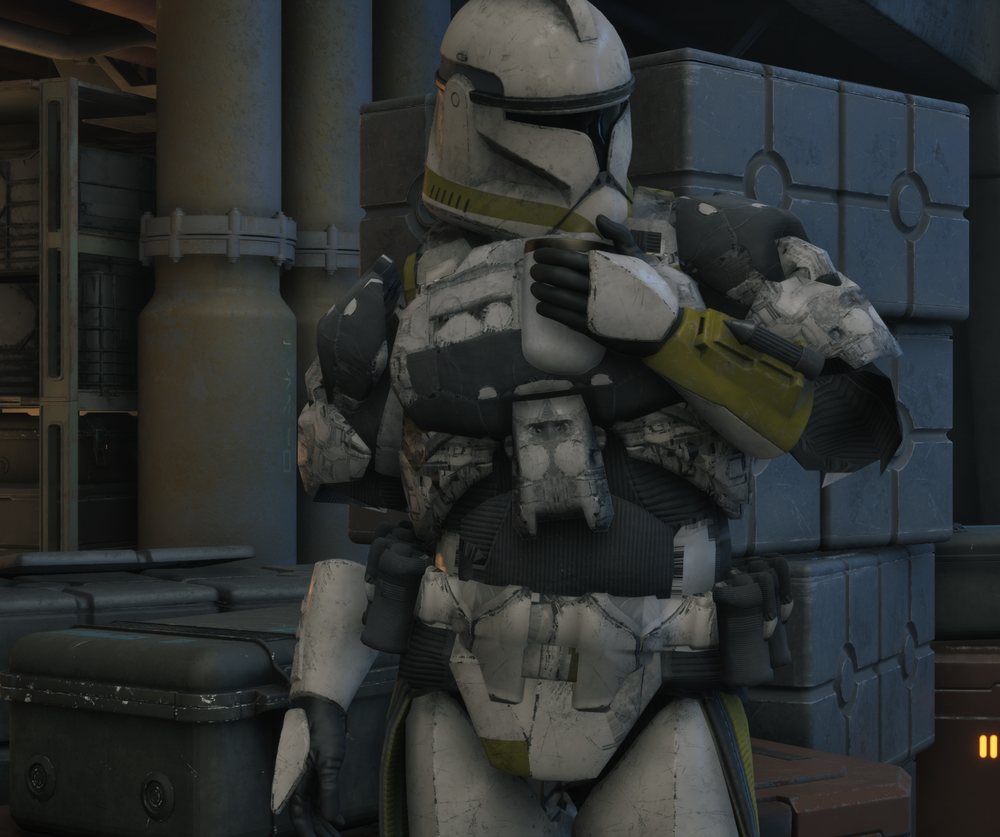
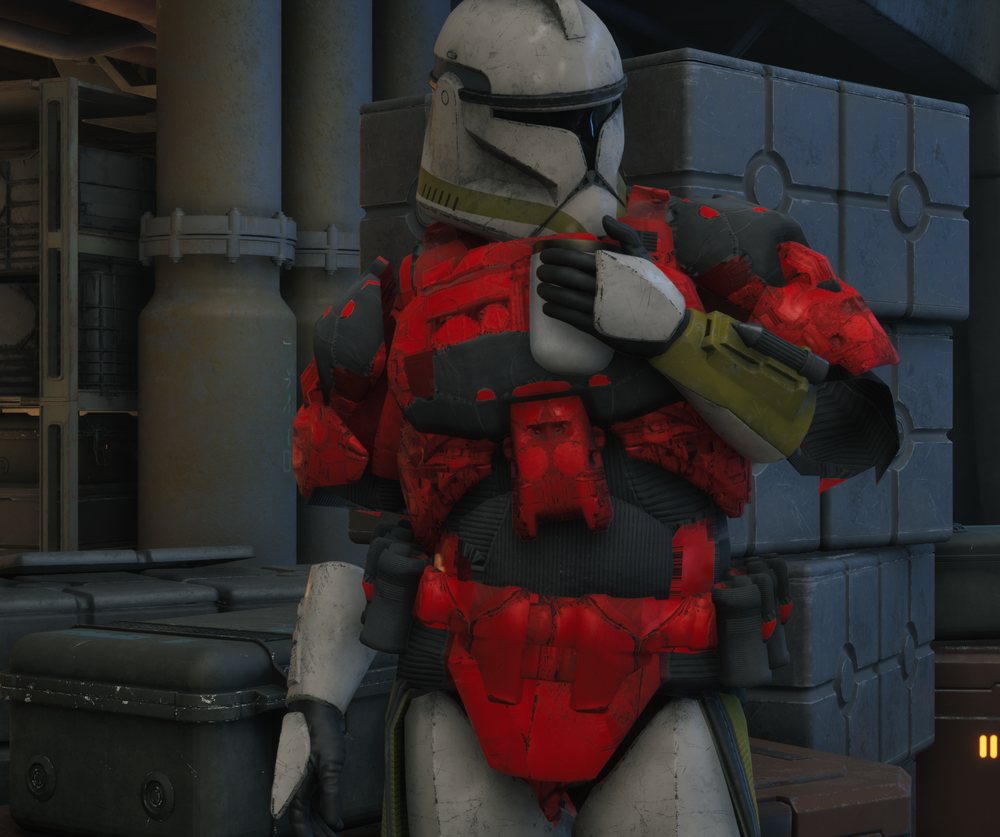
On the real character
These are test screenshots from the game, not finished work. Only the torso is swapped here. The helmet, the legs and the material are still the game's clone armor, so this proves the mesh, rig and cook, and not the look.
Tools
- Halo: Reach Mod Tools
- The source. The official editing kit gives the Reach tags: the ODST armor, its rig, and the shader data that says what each surface is made of.
- Foundry
- A Blender add-on that imports Halo tags. It also gives scripts access to ManagedBlam, which is how the Reach shader data gets read.
- Blender
- Rigging, UVs, bakes and renders, run headless from Python so every step can be repeated. Cycles for the bakes and the comparison renders.
- CUE4Parse
- A library for reading Unreal game files. Small exporters built on it read Zero Company, to learn how its armor is put together, and Halo: Campaign Evolved, for its detail textures.
- UE4SS
- Runs Lua inside the game. It dumped the type data needed to read the game files, and it runs the test probe, the remote test driver and the wear driver.
- Unreal Engine 5.6.1 and SWZCModKit
- The engine version the game uses, built from source, plus the community mod kit by klukule. Editor commandlets do the import and the cook, and UnrealPak packs the result.
- Python and NumPy
- The compositor that builds the texture maps, the area masks and the checks that run after every build.
- Reclaimer, Index and model-viewer
- For the reference library only: Reclaimer read Halo Infinite, Wildenhaus's Index read Halo 2 Anniversary, and model-viewer shows the pieces in a browser so I can compare them and try out sets.
- Claude Code
- An agent team writes and runs the scripts under my direction, with separate agents reviewing each step. I make the design calls and judge the results by eye.
The rules that made it work
- Keep the shapes
- Reach's shapes, plate layout and markings stay as they are. The rework changes how the armor is built and textured, not its design.
- Measure the target first
- Before changing anything, read what the game actually does: how many meshes, which maps, what texture density. Most of the early mistakes came from guessing.
- No colour in the base map
- The game paints armor with a tint mask and colour pickers. Paint baked into the base colour breaks that, so the base is a flat neutral and colour lives in the mask.
- Passing tests is not the same as looking right
- Every step has automated checks, and I still look at the result. The worst failure on this page passed all 25 of its tests.
- One variable at a time
- When something breaks, change one thing, test, and write down the result. Each test session backs up the game saves, checks them by hash and restores them afterwards.
From the source game into the mod
-
1. Pull the source
The armor comes out of the Reach tags through Foundry into Blender, on the marine rig. Sets are grouped by the slots Zero Company uses. This page follows one ODST set, called O1. I also pulled about 775 armor pieces from across the series into a browsable library to compare against. That library is reference only.
-
2. Read the target
Zero Company builds a suit from five skinned meshes (helmet, torso, arms, legs, boots), with one material each, on a 240-bone armor skeleton. Each part gets four maps: colour, a mask for roughness and metal, a normal map, and a tint mask. A new set has to fit that shape or the game's colour and wear systems never reach it.
-
3. Fit it to the body
The set is scaled by 0.923 to match the game's height, then the Halo rig is swung joint by joint onto the game's reference pose. Skin weights move across through a bone map. The helmet gets a test: rays from every vertex of the game's head must hit the inside of the helmet. As first fitted, 144 of 22,112 vertices poked through. A small shift and a 2 percent scale took that to zero.
-
4. Make the plates rigid
Halo hangs most plates on one bone. My first fit spread them across the game's twist bones, so hard armor bent like cloth. Now each plate sits on one bone: 71 plates in all, while cloth and gloves stay soft. Where a plate meets cloth, the seam copies the plate's weights so it can't crack open.
-
5. Sort out the knee pads
A knee pad spans a joint, so no single bone suits it. I built four versions and rendered them in every pose. The answer was already in the game: its armor skeleton has a helper bone for knee pads, driven by the game's own animation blueprint.
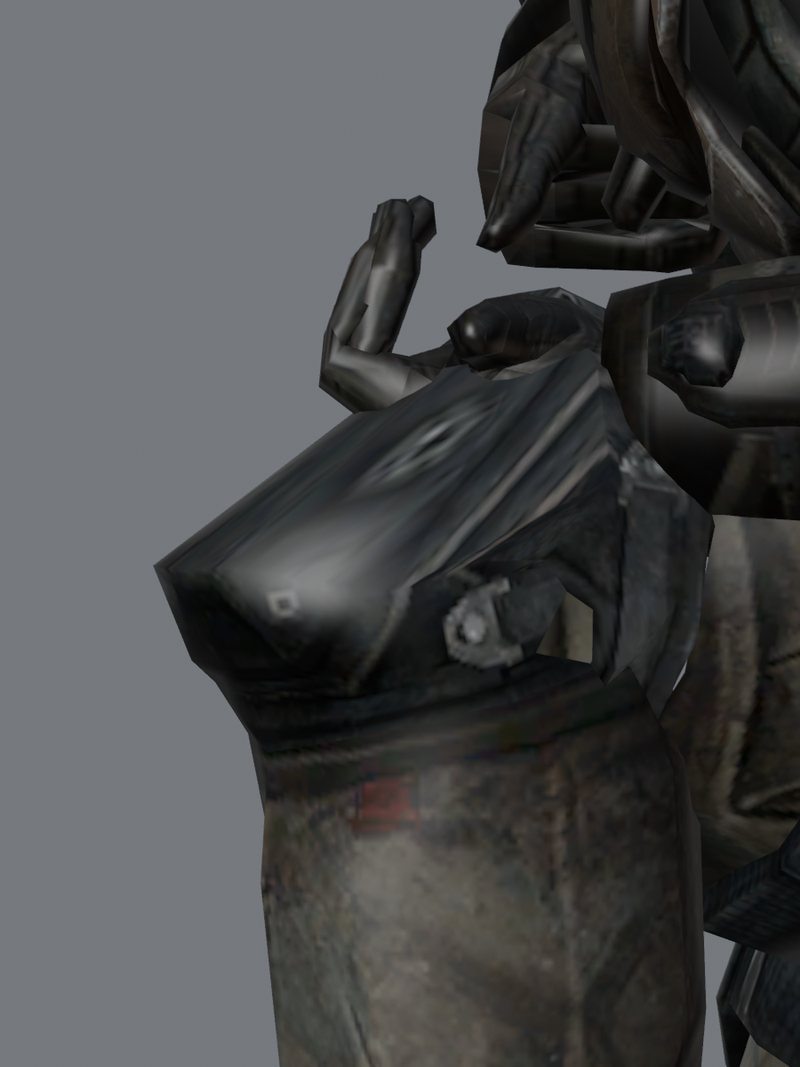
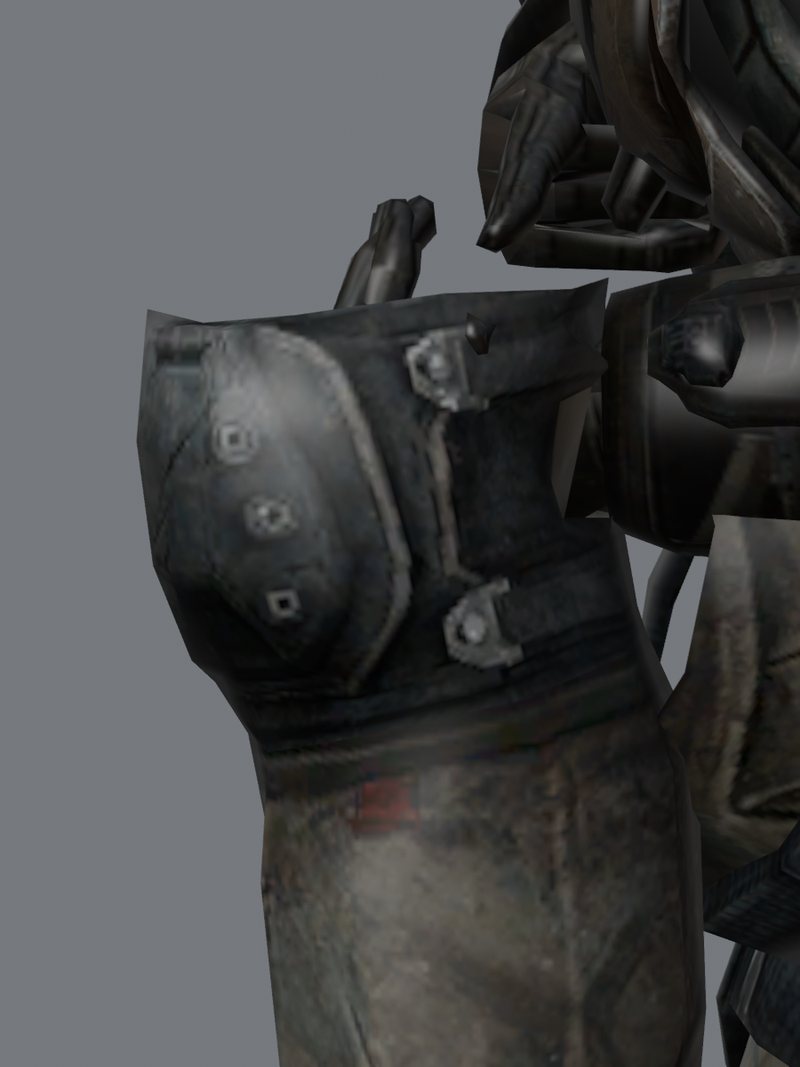
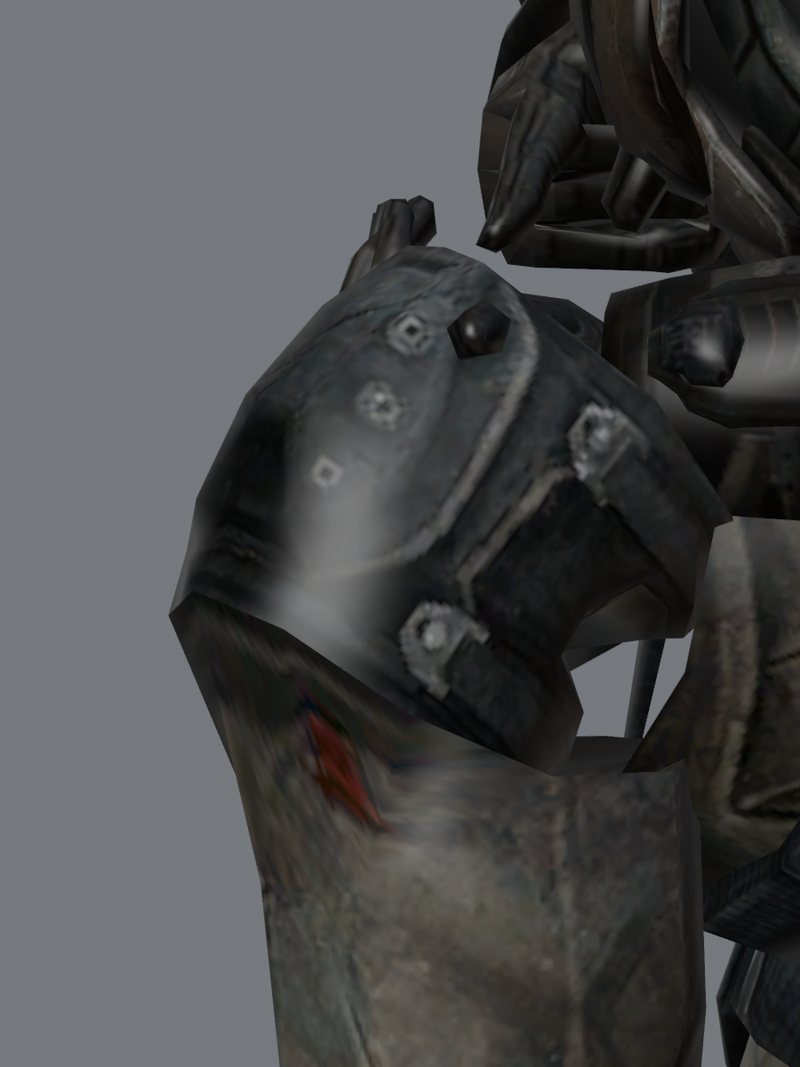
Left: split at the joint, which smears the pad. Middle: all on the calf, which swings off the knee and shows the open shell. Right: on the game's helper bone, which is the one I kept. The renders emulate the game's driver. -
6. Cook and pack
An editor commandlet imports the meshes in Unreal against a kit copy of the game's skeleton. The cook and UnrealPak then produce an override pak. An install script refuses to run if the pak would clash with another mod, and it puts the mod list back byte for byte afterwards.
-
7. Find out what each surface is
Reach's shader tags say which faces are painted plate, polymer, cloth, webbing, rubber, leather or visor. A script turns that into area masks, so the new textures come from Reach's own data and not from guesses.
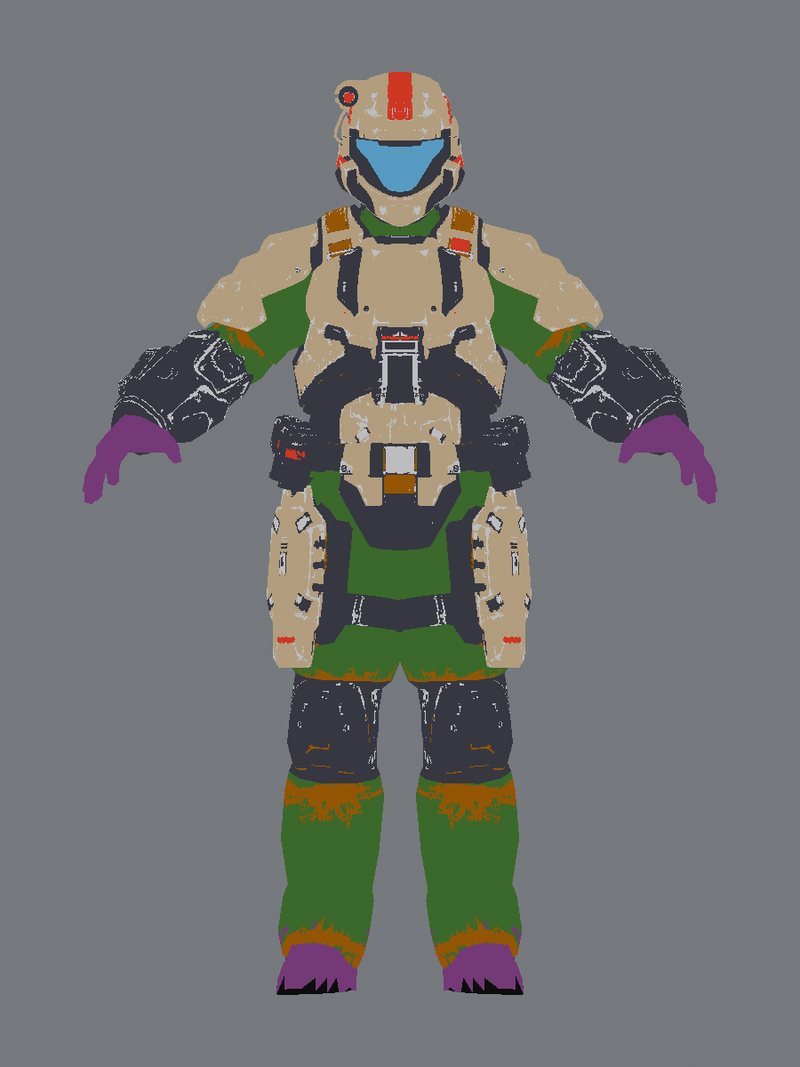
Material areas read from Reach's shader data, shown as flat colours on the model. -
8. Give the textures room
Reach ran at about 4.8 pixels per centimetre on the body. Zero Company runs at about 41. New UVs keep Reach's island shapes, give mirrored pieces their own space, and favour plates. Plates now reach about 30 pixels per centimetre, on 4K maps for torso and legs and 2K for the rest.
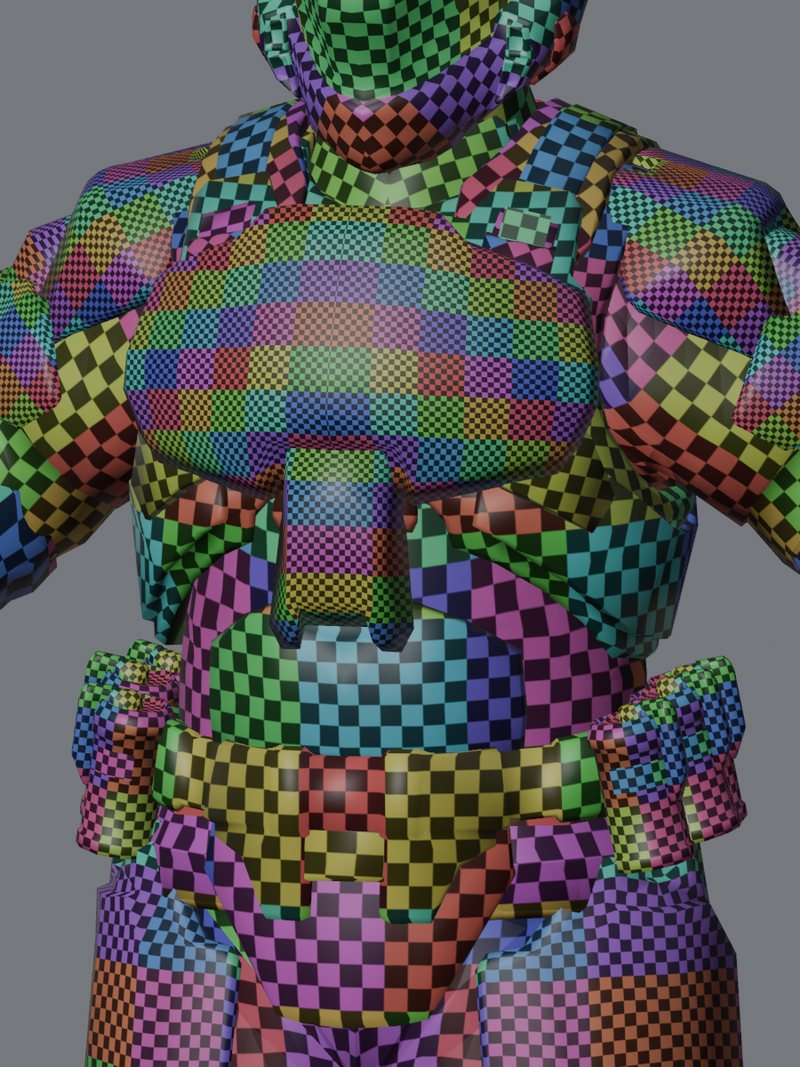
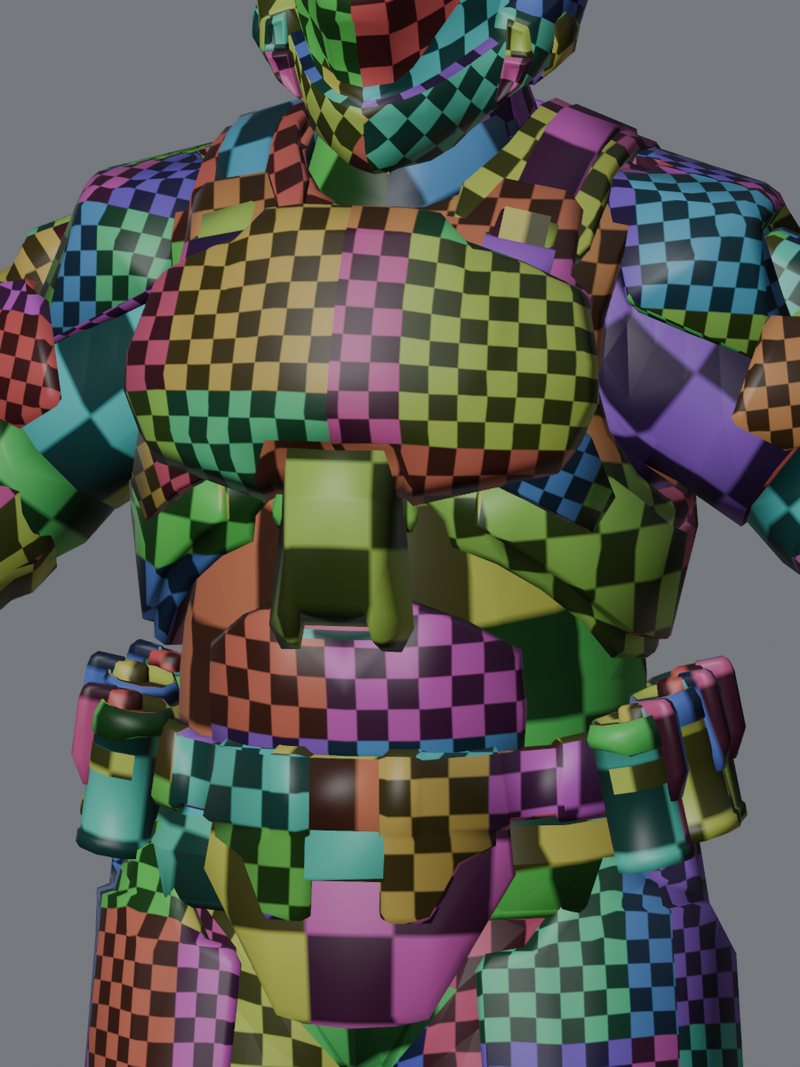
Checker test on the chest. Left: Reach's UVs, where materials overlap and the square size jumps between them. Right: the new UVs, one map per part with no overlap, so the squares are more even and every pixel belongs to one spot on the armor. -
9. Rebuild the maps
This is a rebuild from the original art, not an upscale. Reach's normal map is carried across exactly. Ambient occlusion and curvature are baked from the mesh. The fine detail comes from Halo: Campaign Evolved's tiling fabric, webbing, rubber, polymer and metal textures, used at their real-world size. Base colour is a flat neutral, and the tint mask is built from Reach's own change-colour data. Markings are redrawn sharp at full resolution from Reach's outlines.
-
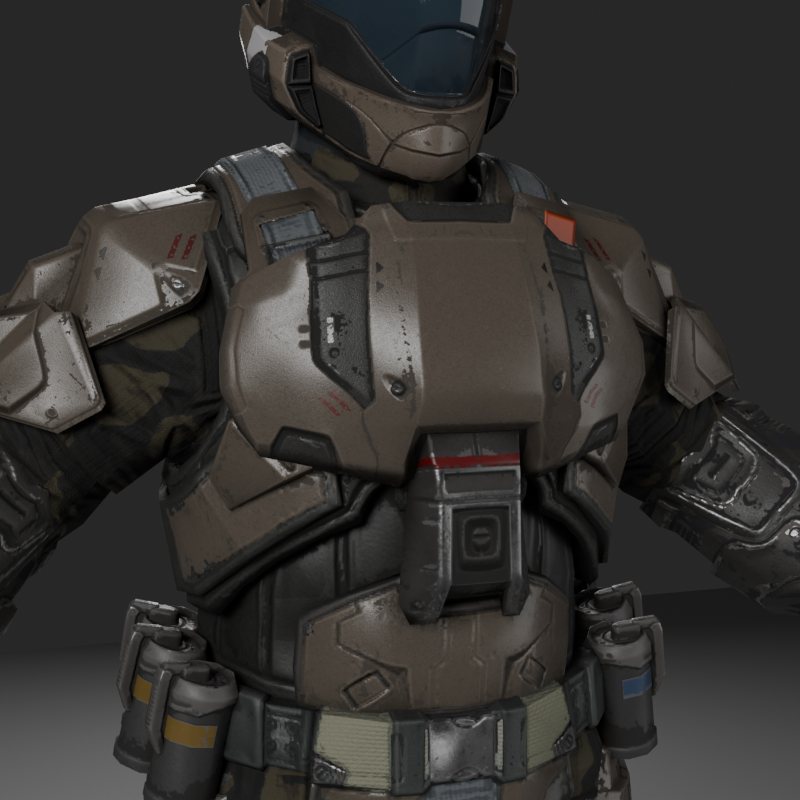
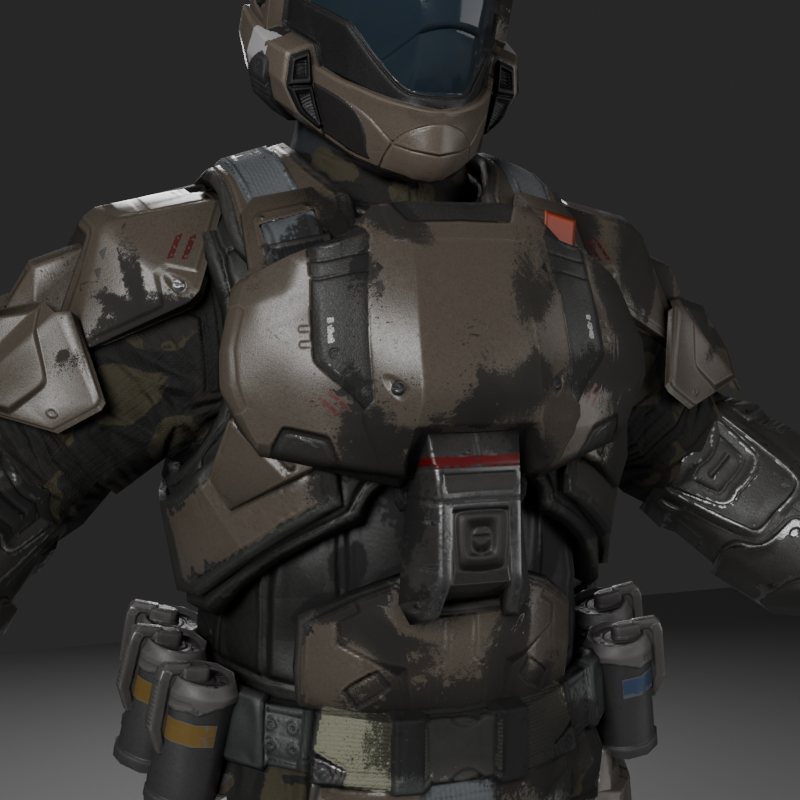
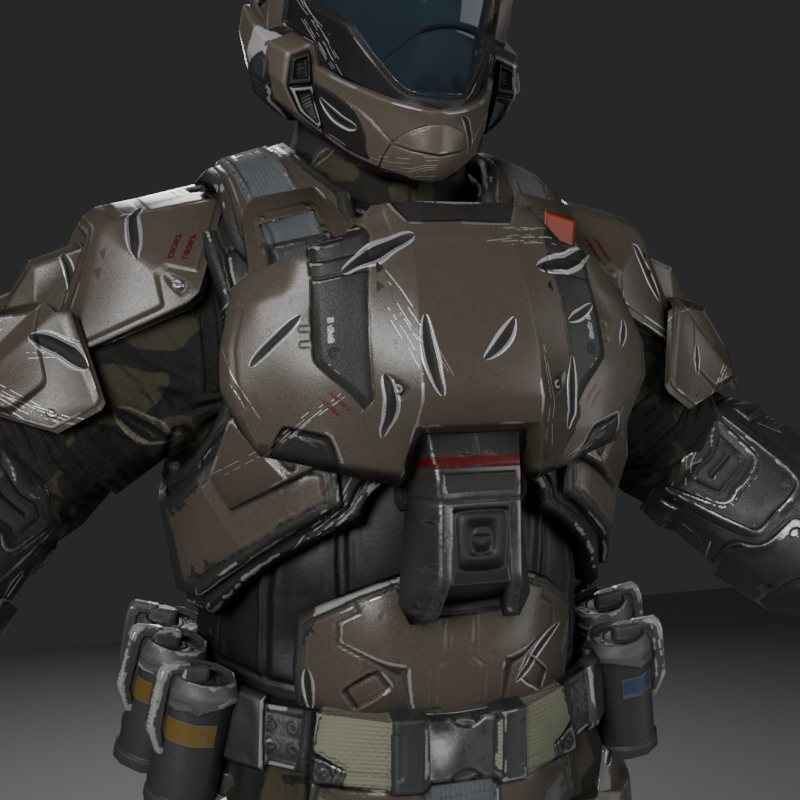
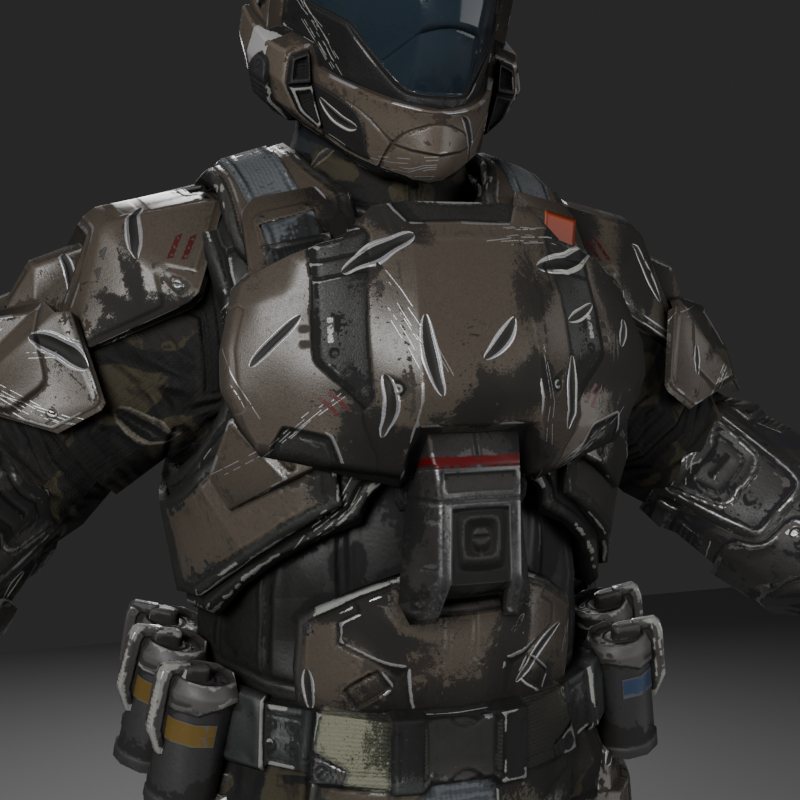
10. Add wear as separate layers
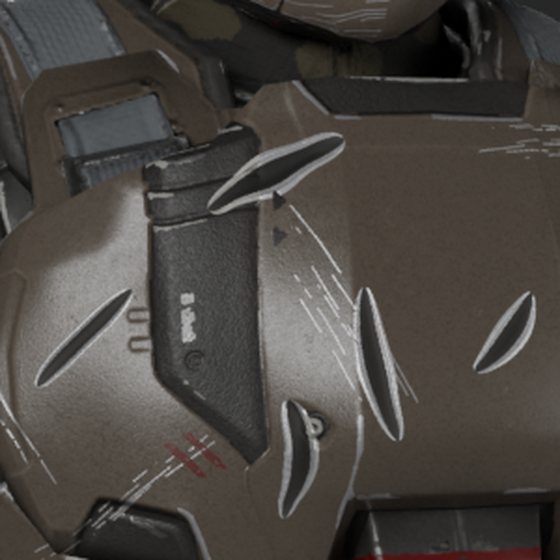
There are three layers, each with its own trigger. Dirt rises with distance moved and can be cleaned off. Carbon scoring rises with hits taken. Battle damage rises in three steps with health lost, and a knockdown jumps to the next step. It can't be cleaned. The design is mine; the runtime driver is still being extended to all three.
-
11. Test it in the game
A small UE4SS mod takes commands from a file: load a save, swap a material, set a colour, take a screenshot. A test can then run with nobody at the PC. Saves are backed up first and checked by hash afterwards.
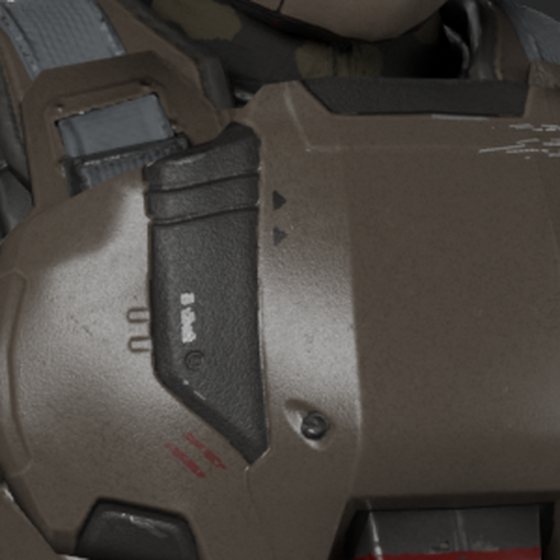
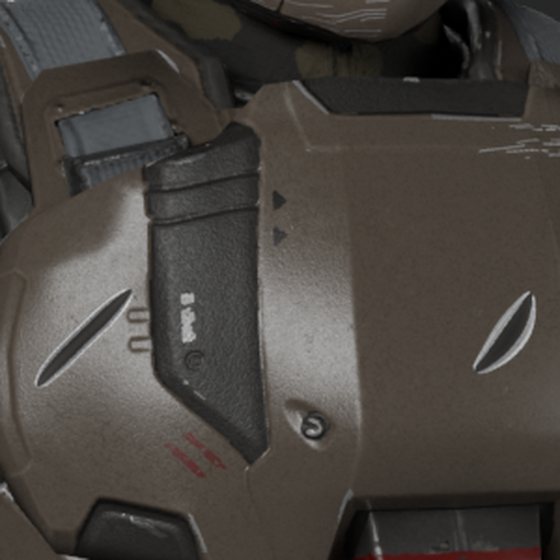
Wear, one layer at a time
Offline emulation of the three layers at full strength. Paint shows through dirt and carbon, and battle damage cuts down to what's underneath. Markings and the visor stay readable.
What was hard
- It looked wrong and I couldn't say why
- The first build didn't sit right next to the game's armor and I couldn't tell why, so I measured instead of guessing. Texture density was about a tenth of the game's, Reach's lighting and paint were baked into the colour maps, gloss had flattened into an even sheen, and the armor skipped the game's armor material altogether. Tints, wetness and decals did nothing. That finding is why this became a rework and not a quick fix.
- A colour-space mistake
- The cloth came in far too bright because a colour texture was treated as linear data, and a specular mask had been turned into roughness, which flattened every highlight. Correcting both gave a much better match, and that corrected version became the look target. It's the "before" in the comparisons below.
- Armor that bent
- I saw it in the first renders: the plates flexed with the body. The cause was my own weighting, not the source, because Halo already rigs those plates almost entirely to single bones. Rigid plates fixed it.
- Crumpled meshes from Campaign Evolved
- Helmets came out at 70 to 310 triangles. The exporter was reading the low-detail fallback meshes, not the Nanite data. A newer CUE4Parse with Nanite reading switched on gave 5,000 to 18,000 triangles.
- Comparing the wrong things
- An early comparison put Reach ODST armor against Campaign Evolved marines, which is not a fair test. Looking across the real sets showed Campaign Evolved has no true ODST set or helmet. The fix was a clear split: Reach's design, with Campaign Evolved-level texture quality. A separate Campaign Evolved-style marine look is planned.
- Battle damage that looked like snow
- Version one thresholded noise into scratches. All 25 tests passed. I looked at it and it was an even dust of white specks with no real scratches or gouges. Tiny specks measured up to 1,208 per 100 square centimetres. Version two draws marks on purpose: grouped scratches, gouges with a floor, walls and a raised lip, and chips only on outward edges. Specks fell below 2 per 100 square centimetres, and a new check would catch this failure next time. I'm still judging how version two looks.
- The material that crashes the game
- This one is not solved. The wear design needs my own armor material, and that material crashes the game the moment it draws, in the graphics code that binds textures and parameters. The child of the game's material crashes, and so does a bare master of my own with plain textures. The game's own material draws fine on the same mesh, and so does my simpler weapon material, which clears the mesh and the rig. The plain-texture crash clears virtual textures. So I started from the weapon material that works and added one feature at a time. Base, colour, normal, tint, damage and two-sided all drew. The crash came back at masked blending. That's one crash so far, and I don't know yet why masked would do it, so the next test has to confirm it.
- A test tool that needed its own review
- The first version of the remote test mod worked, then failed review. It could have reached save functions by a side route, and a killed session would have left it installed. It took three review rounds to close those holes.
Personal, non-commercial fan project, with nothing to download. The armor is a direct port of art from Halo: Reach by Bungie, with surface detail from Halo: Campaign Evolved by Halo Studios. The reference library also draws on Halo: Combat Evolved, Halo 2, Halo 3 and Halo 3: ODST by Bungie, Halo 4 and Halo Infinite by 343 Industries, and Halo 2 Anniversary by Saber Interactive and 343 Industries. Reference renders and test screenshots show art from Star Wars Zero Company by Bit Reactor, Respawn Entertainment and Lucasfilm Games, published by Electronic Arts. Not affiliated with or endorsed by Microsoft, Xbox Game Studios, Halo Studios, Bungie, Electronic Arts, Bit Reactor, Respawn Entertainment, Lucasfilm or The Walt Disney Company. Halo is a trademark of Microsoft Corporation. Star Wars is a trademark of Lucasfilm Ltd.